
What is a concept map?
A concept map is a diagram of ideas joined by labelled arrows, so that every connection reads as a sentence. Here is how it works, how to draw one, and 28 examples to learn from.
Concept map definition
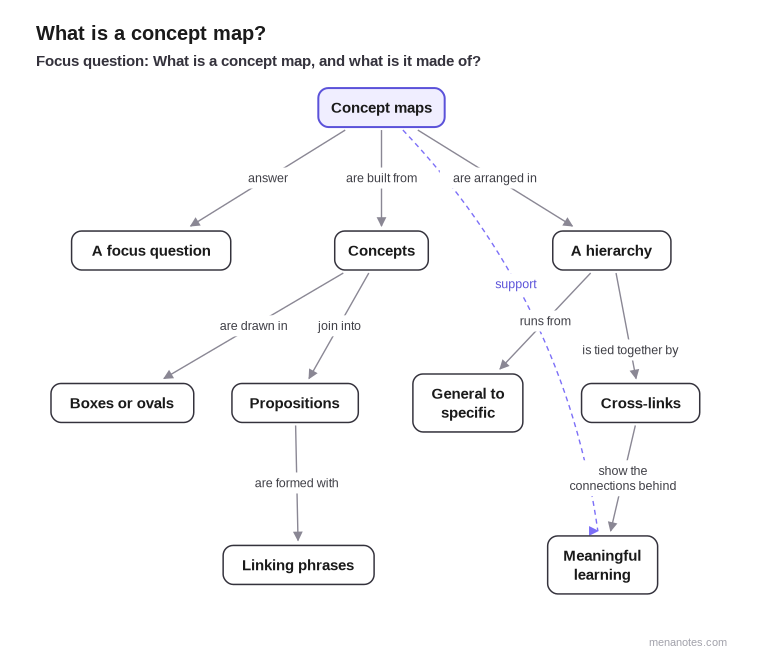
A concept map shows knowledge as a network of concepts connected by linking phrases. Two concepts and the phrase between them make a proposition, a small statement such as “photosynthesis takes place in chloroplasts”. A good map is a set of true propositions that together answer one focus question.
The technique was developed by Joseph D. Novak and his research team at Cornell University in the 1970s, to record how children’s understanding of science changed over time. It rests on David Ausubel’s idea that we learn meaningfully by linking new ideas to what we already know, which is exactly what a concept map makes visible.
The parts of a concept map
- Focus question. The question the map answers. It sets the scope.
- Concepts. Short noun phrases in boxes or ovals: “cell membrane”, “supply”, “Triple Entente”.
- Linking phrases. Verbs or short phrases on the arrows: “contains”, “is caused by”, “leads to”.
- Propositions. Concept, linking phrase, concept. Each one should be a meaningful statement.
- Hierarchy. The most general concept at the top, more specific ones below.
- Cross-links. Links between different branches, showing how separate parts of the topic relate.
Concept map vs mind map
A mind map radiates from one central word and its branches are usually unlabelled associations, which makes it fast for brainstorming and notes. A concept map labels every link and connects branches to each other, which makes it slower to draw but far better for showing that you understand how ideas relate. The full comparison, with the same topic drawn both ways, is on mind map vs concept map.
How to make a concept map
- Write a focus question. A clear question, such as “How do plants make food?”, decides which concepts belong on the map and keeps it from sprawling.
- List the key concepts. Write 15 to 25 concepts as short noun phrases in a list at the side, the “parking lot”. One concept per box, two or three words at most.
- Rank them, general to specific. Put the most general, inclusive concept at the top. Order the rest by how general they are.
- Place and link. Lay the concepts out top to bottom and draw arrows between related ones. Label every arrow with a linking phrase so the pair reads as a sentence.
- Look for cross-links. Find relationships between concepts in different branches and link them too. Cross-links are where understanding shows.
- Revise. Read every proposition aloud. Rewrite vague links like “has” or “is related to”, move concepts, and redraw. Good maps go through several versions.
Start from one of the free concept map templates if a blank page slows you down.
Concept map examples by subject
28 maps, each with its focus question, the propositions written out, a short explanation and downloads.
Biology
-
 Biology
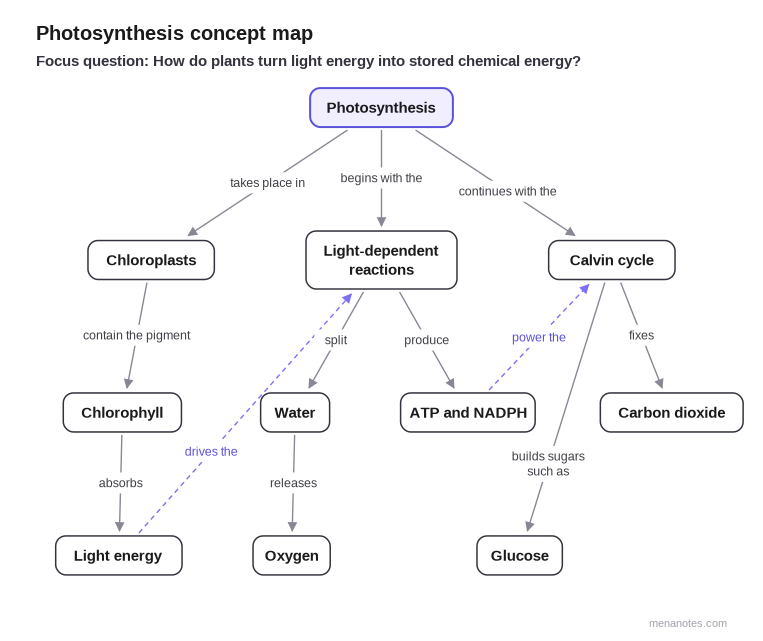
Photosynthesis concept map
How do plants turn light energy into stored chemical energy?
-
 Biology
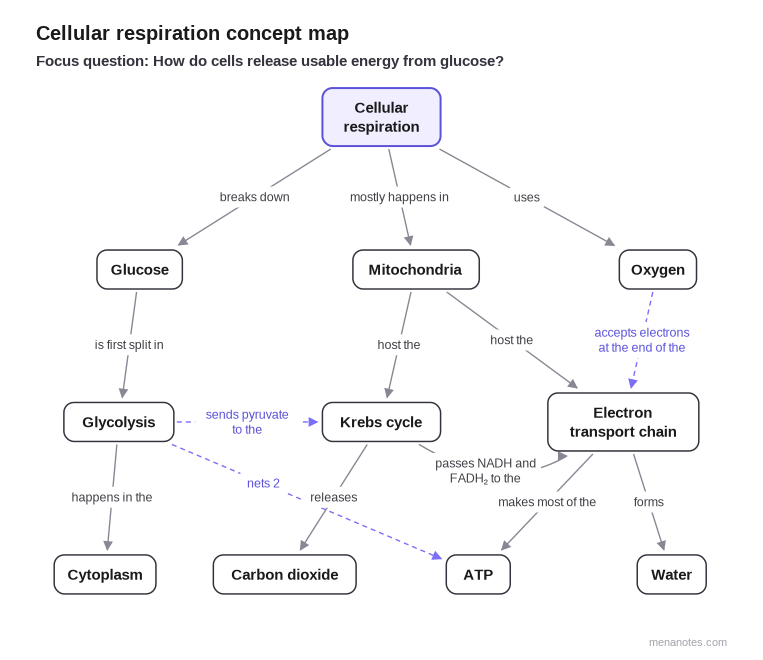
Cellular respiration concept map
How do cells release usable energy from glucose?
-
 Biology
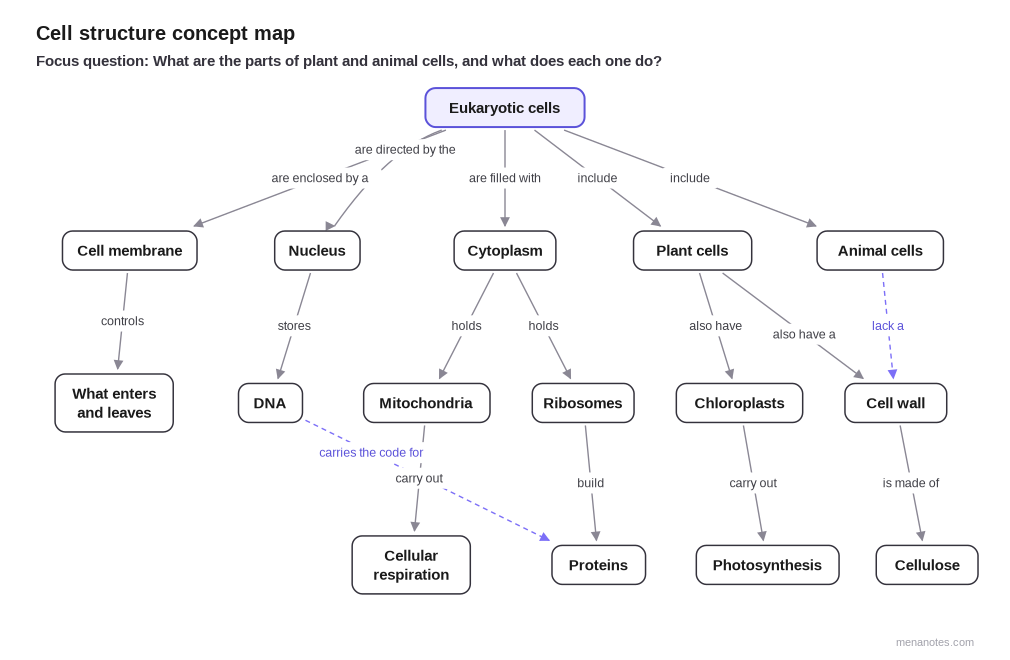
Cell structure concept map
What are the parts of plant and animal cells, and what does each one do?
-
 Biology
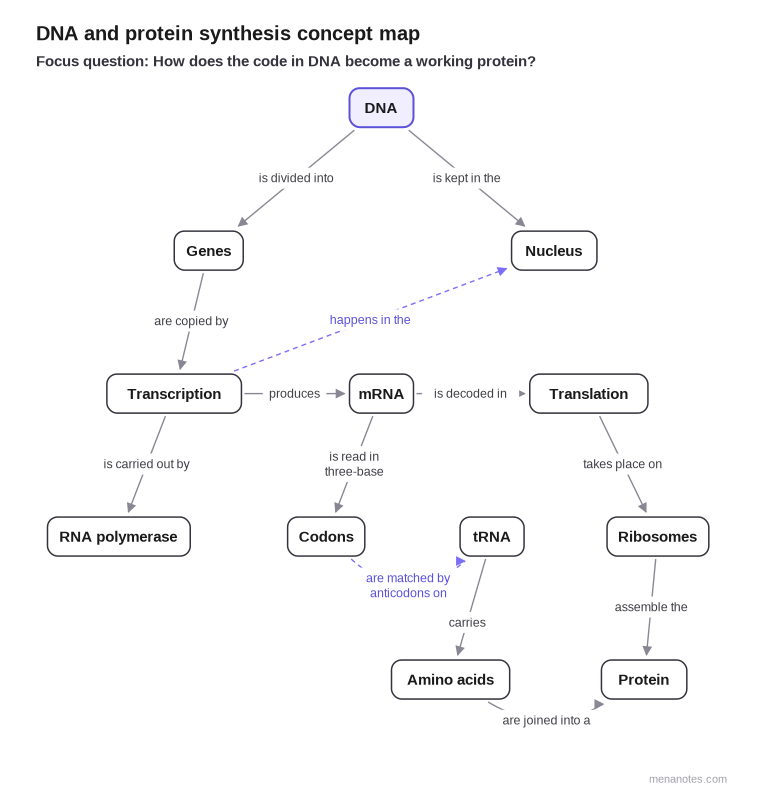
DNA and protein synthesis concept map
How does the code in DNA become a working protein?
-
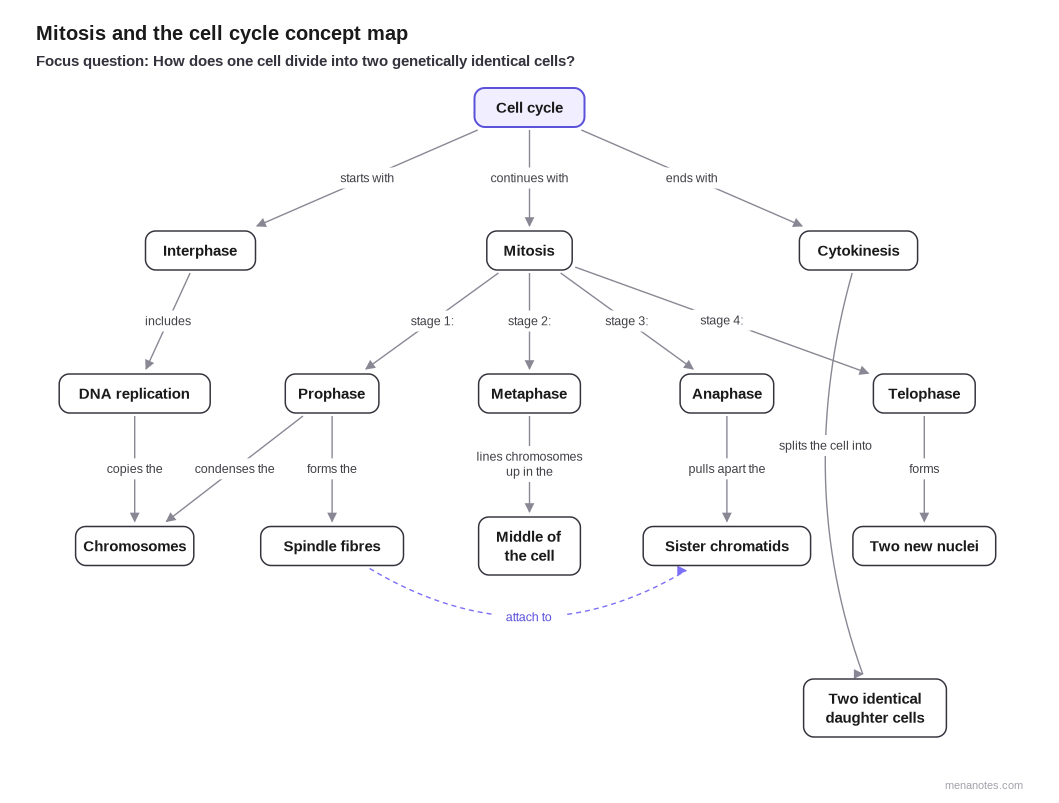 Biology
Mitosis and the cell cycle concept map
How does one cell divide into two genetically identical cells?
-
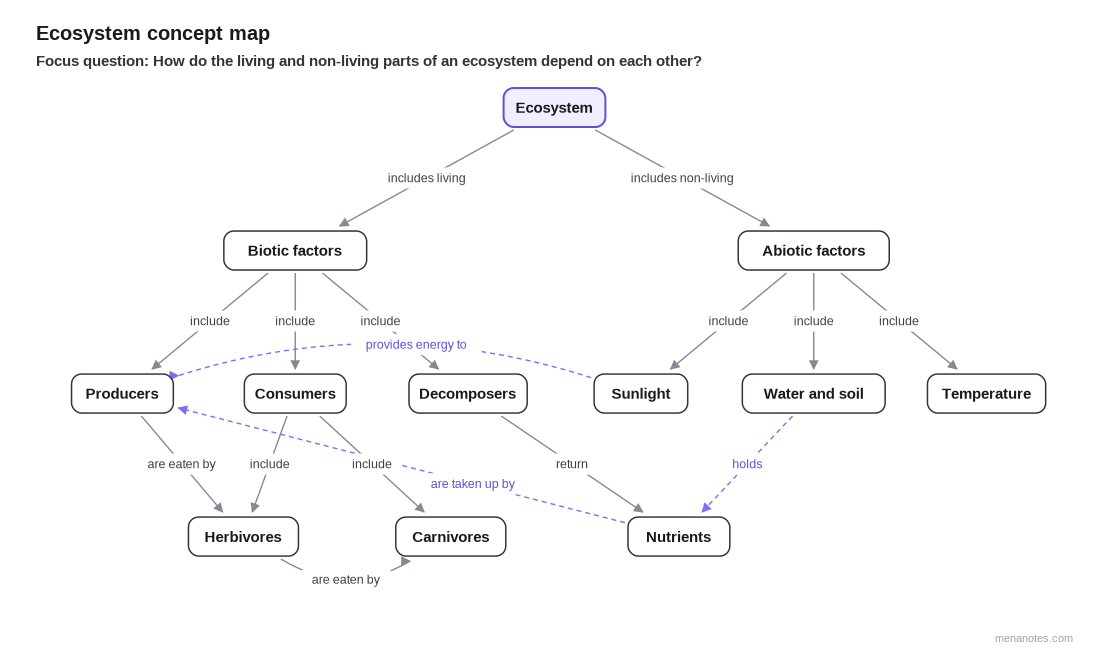 Biology
Ecosystem concept map
How do the living and non-living parts of an ecosystem depend on each other?
-
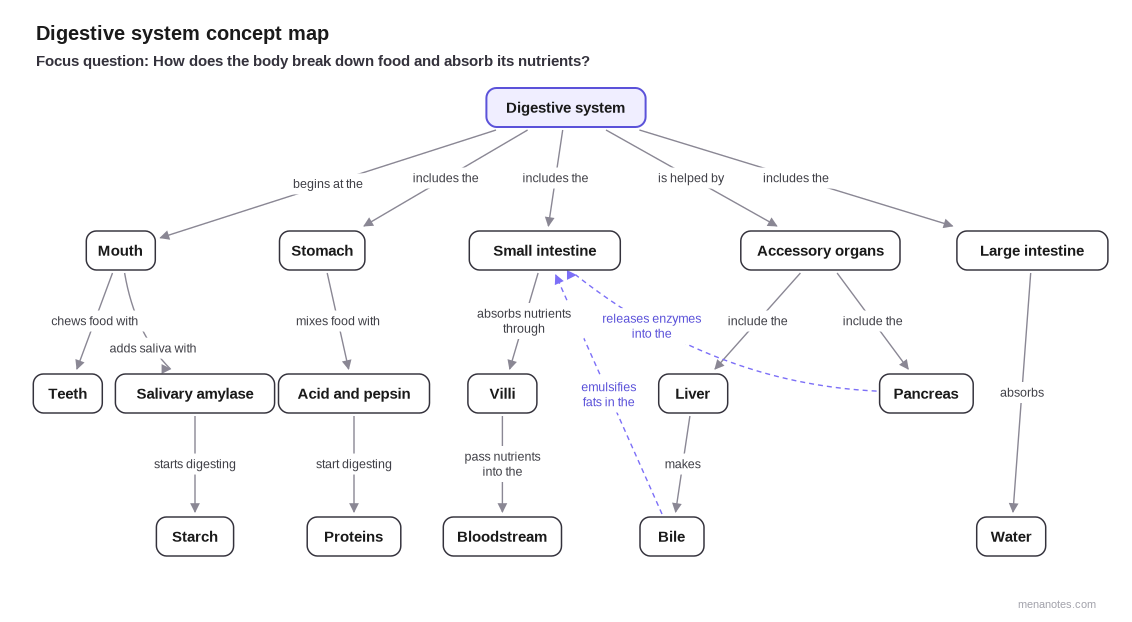 Biology
Digestive system concept map
How does the body break down food and absorb its nutrients?
-
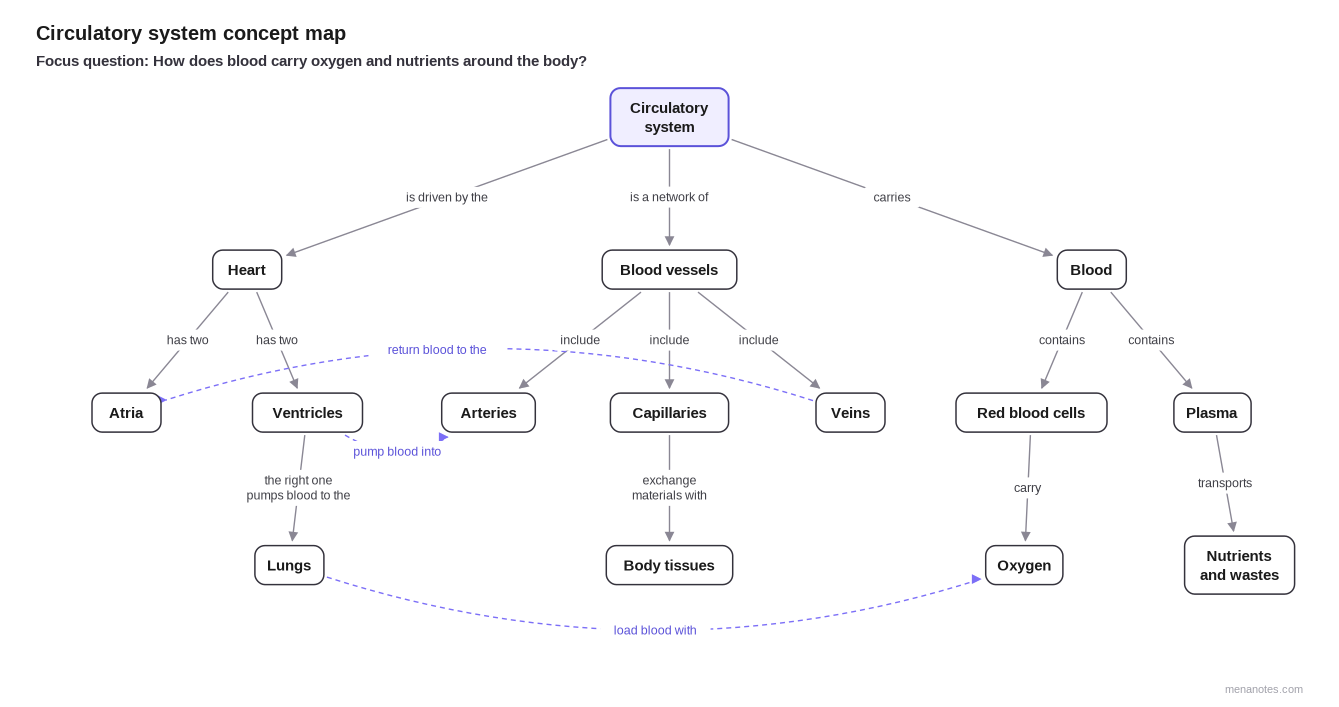 Biology
Circulatory system concept map
How does blood carry oxygen and nutrients around the body?
-
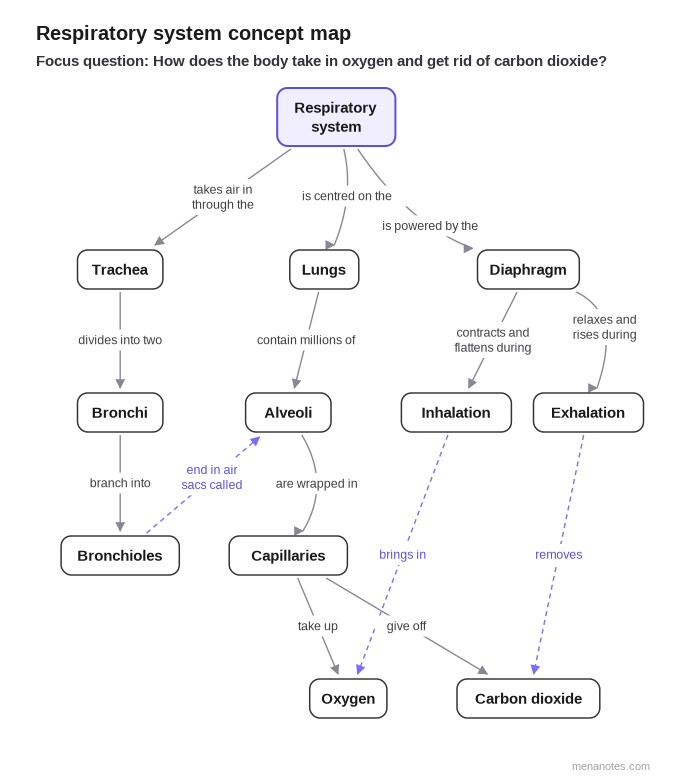 Biology
Respiratory system concept map
How does the body take in oxygen and get rid of carbon dioxide?
-
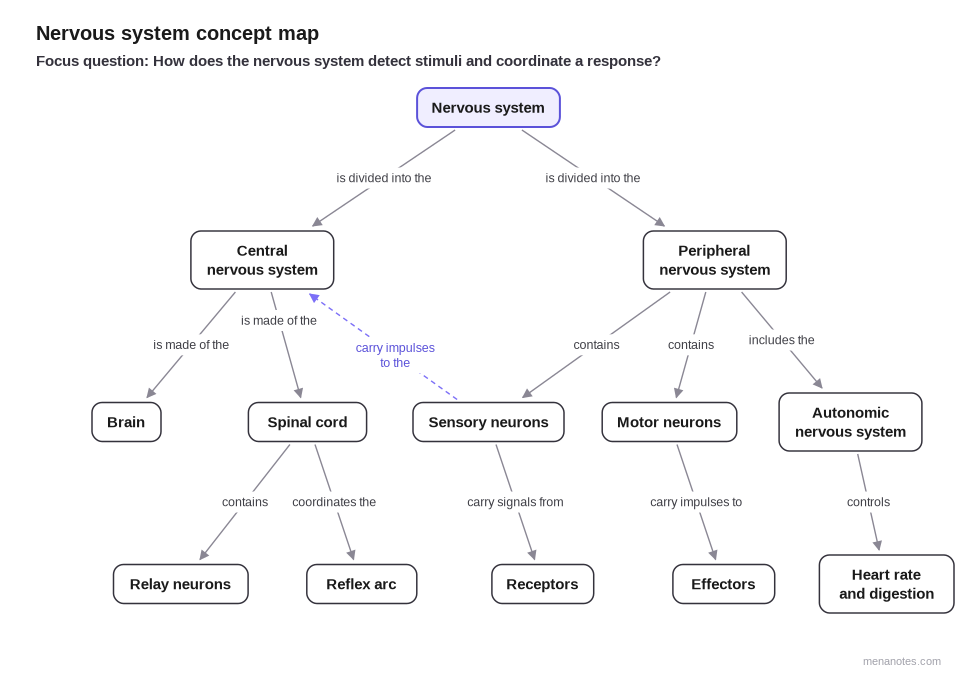 Biology
Nervous system concept map
How does the nervous system detect stimuli and coordinate a response?
-
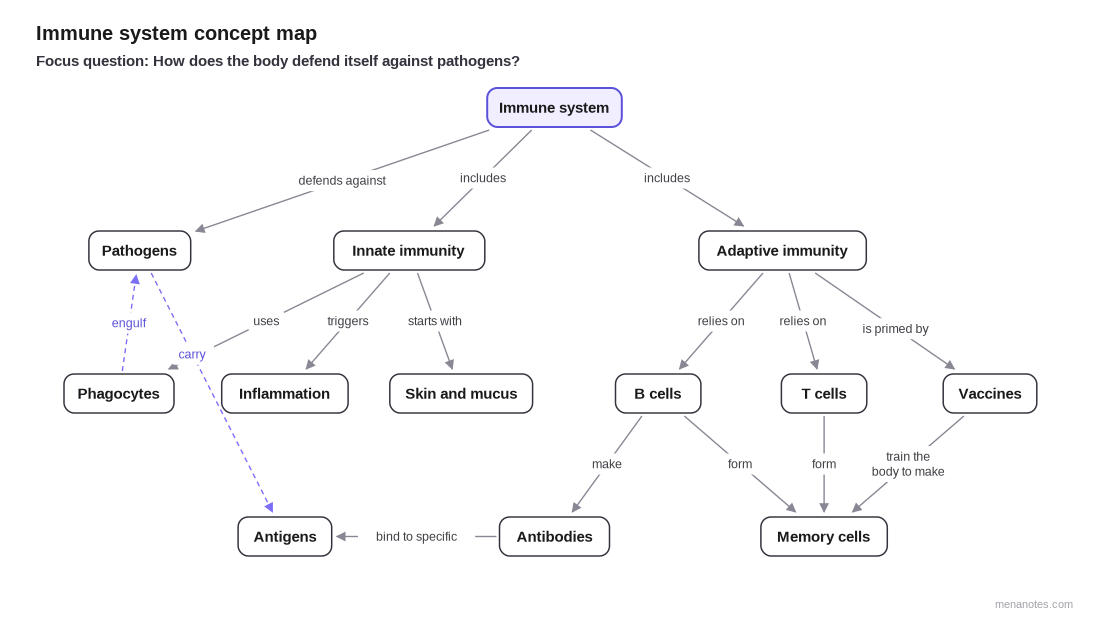 Biology
Immune system concept map
How does the body defend itself against pathogens?
-
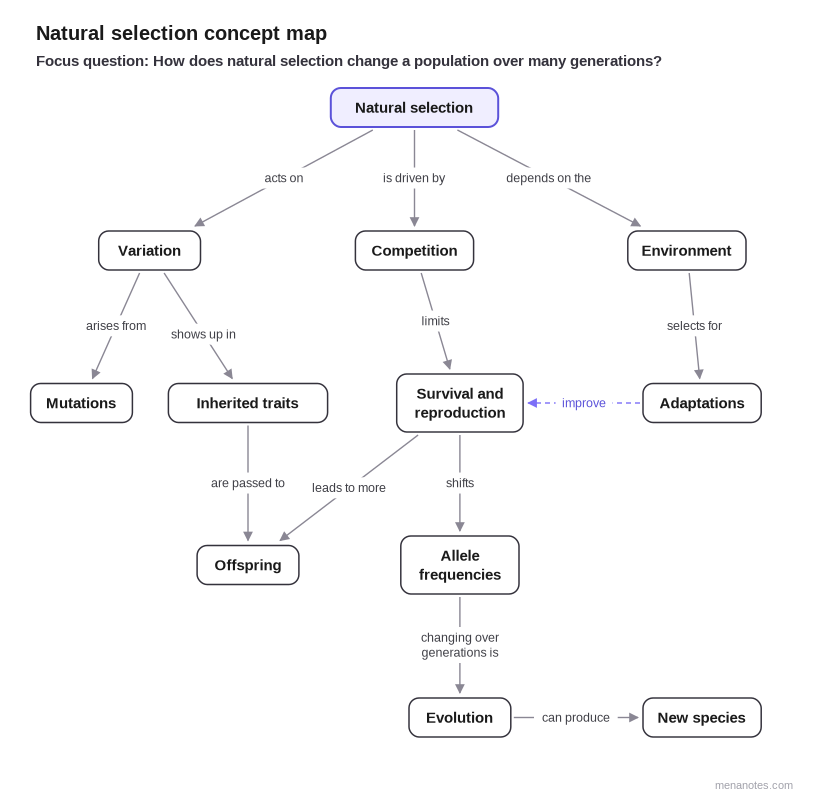 Biology
Natural selection concept map
How does natural selection change a population over many generations?
Earth science
-
 Earth science
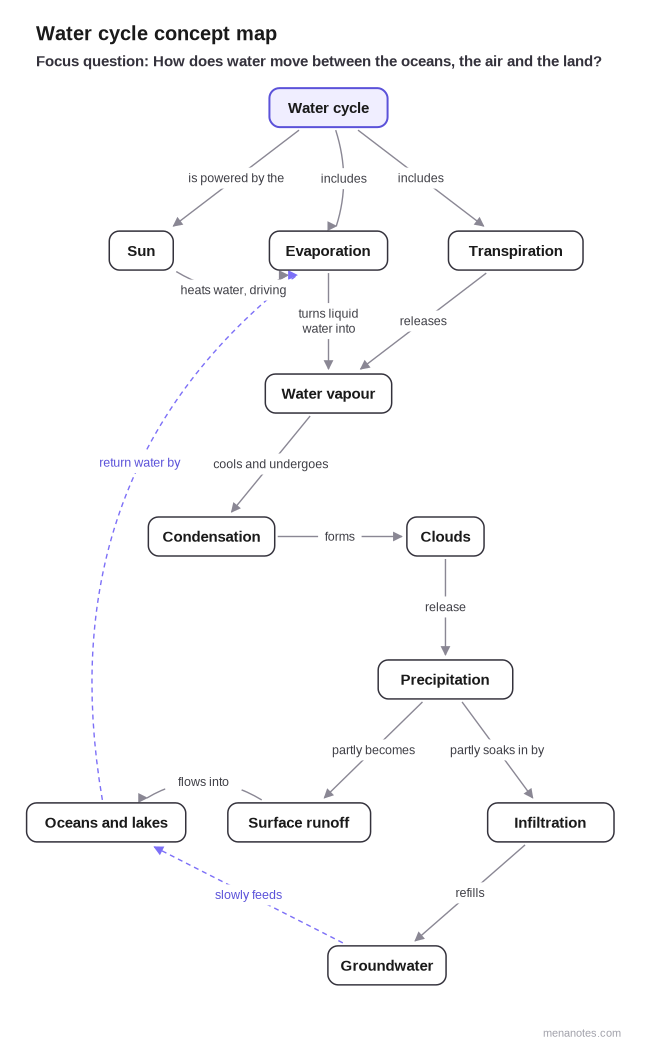
Water cycle concept map
How does water move between the oceans, the air and the land?
-
 Earth science
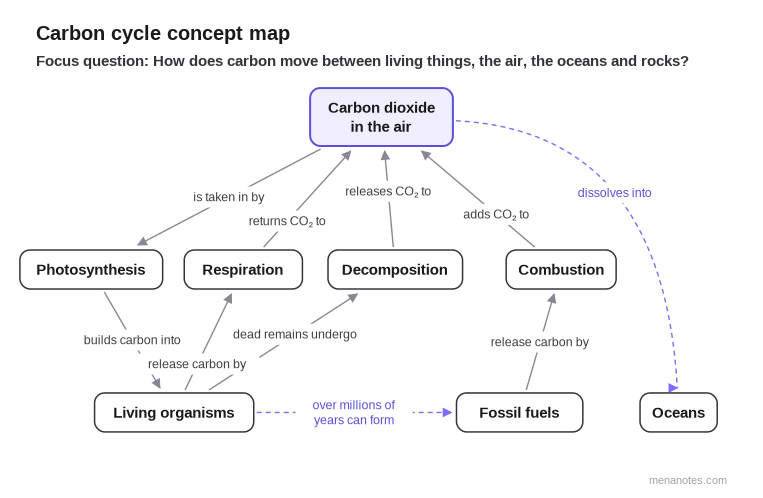
Carbon cycle concept map
How does carbon move between living things, the air, the oceans and rocks?
-
 Earth science
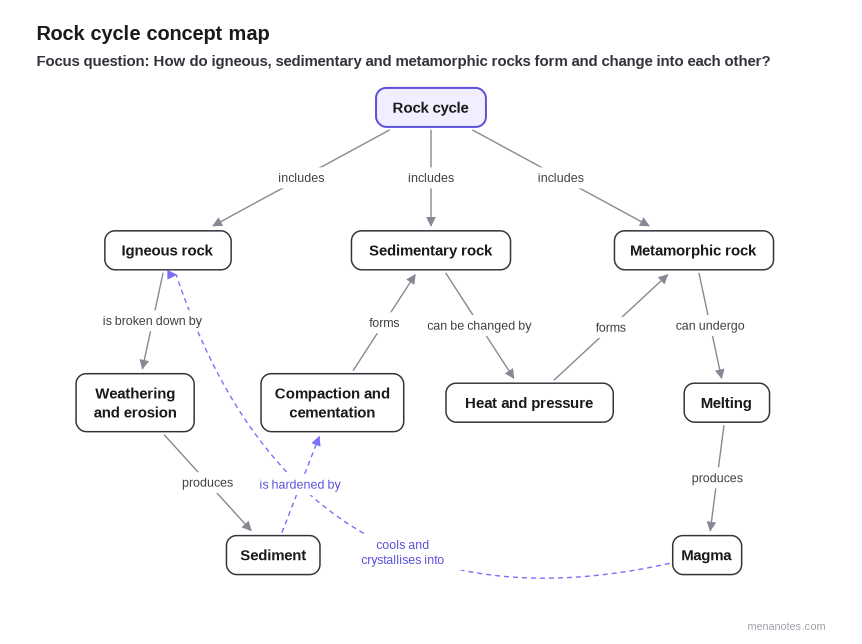
Rock cycle concept map
How do igneous, sedimentary and metamorphic rocks form and change into each other?
Chemistry
-
 Chemistry
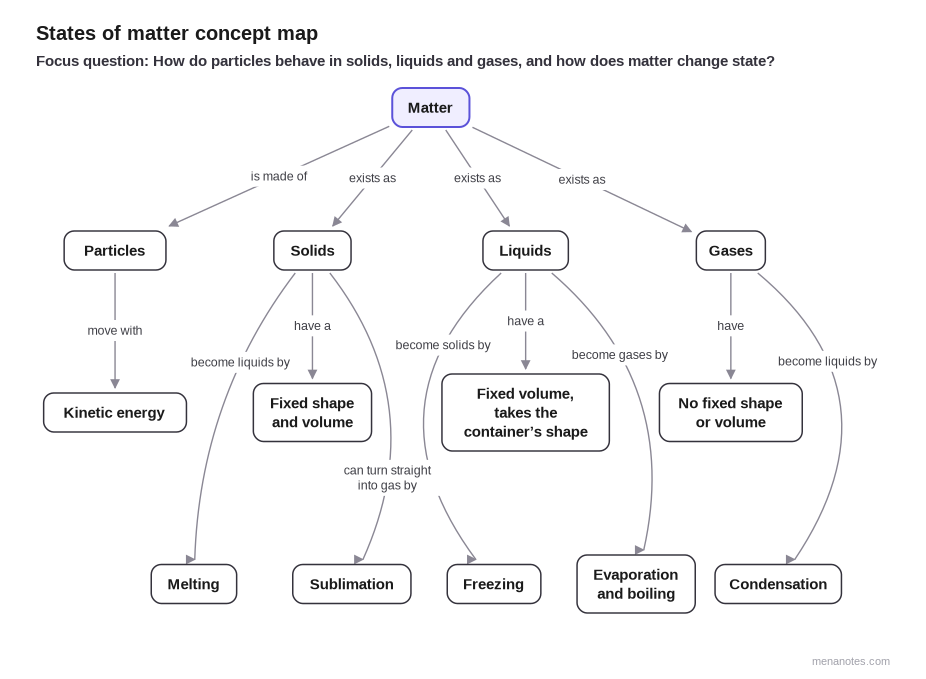
States of matter concept map
How do particles behave in solids, liquids and gases, and how does matter change state?
-
 Chemistry
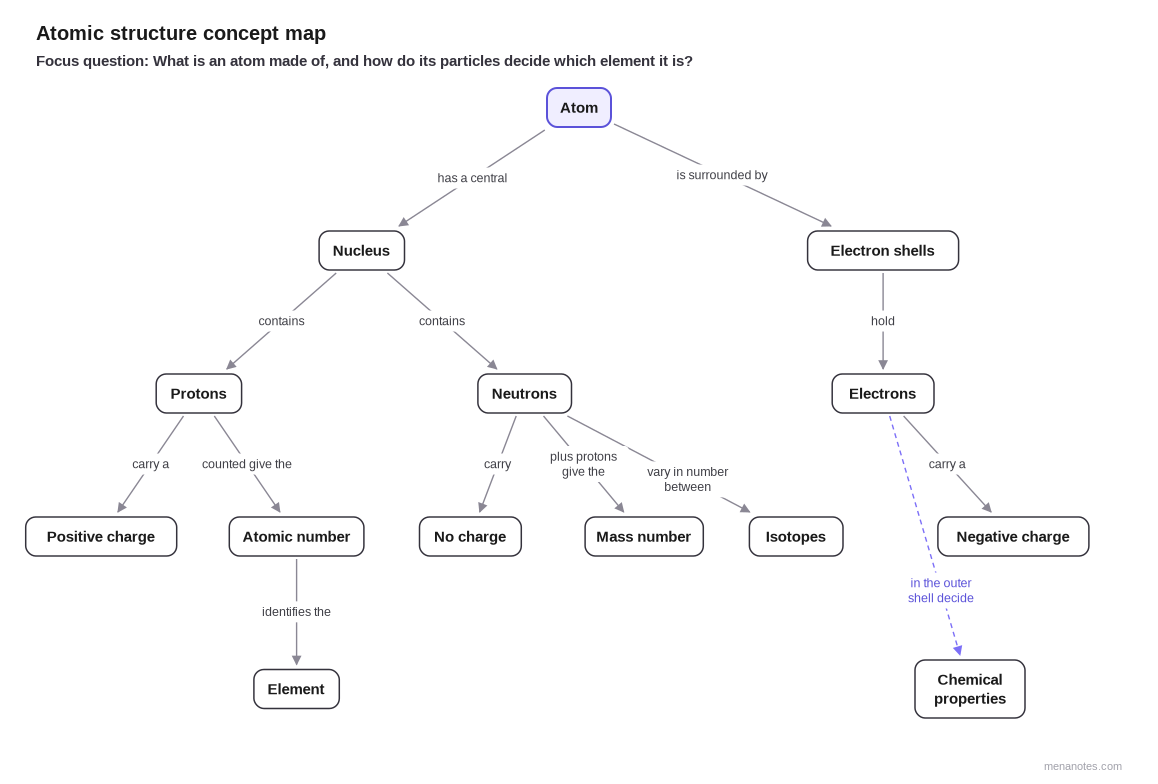
Atomic structure concept map
What is an atom made of, and how do its particles decide which element it is?
-
 Chemistry
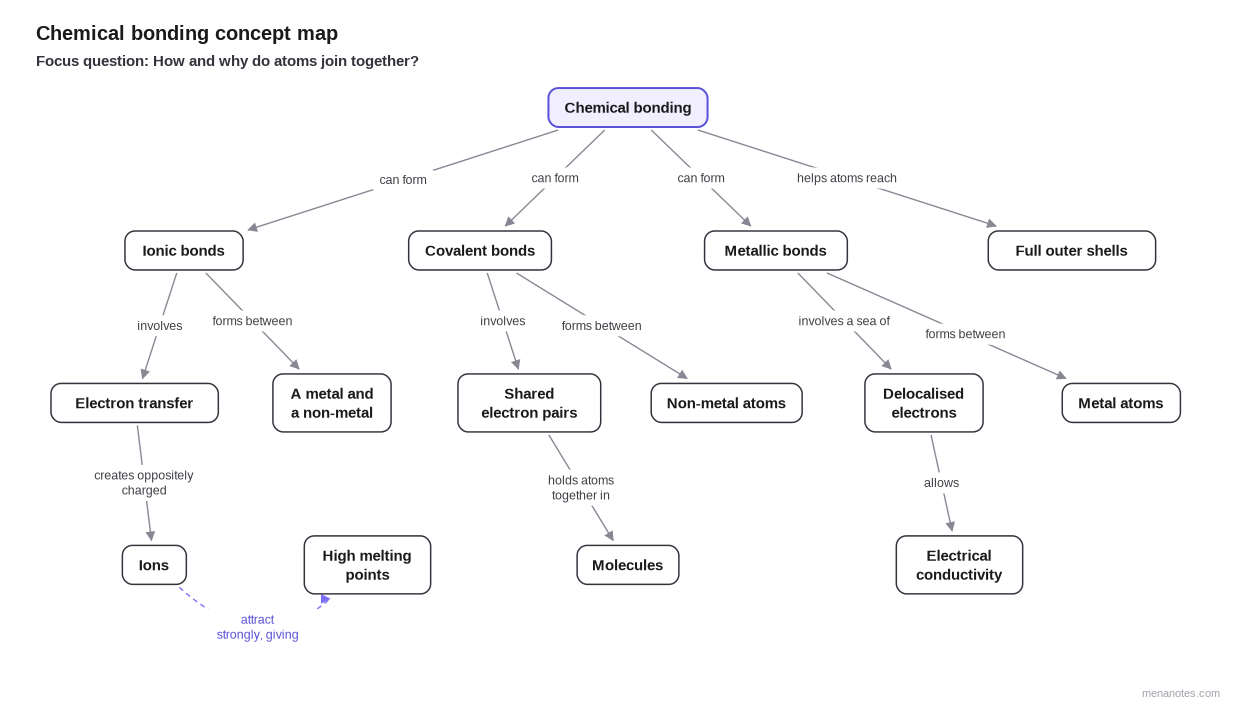
Chemical bonding concept map
How and why do atoms join together?
-
 Chemistry
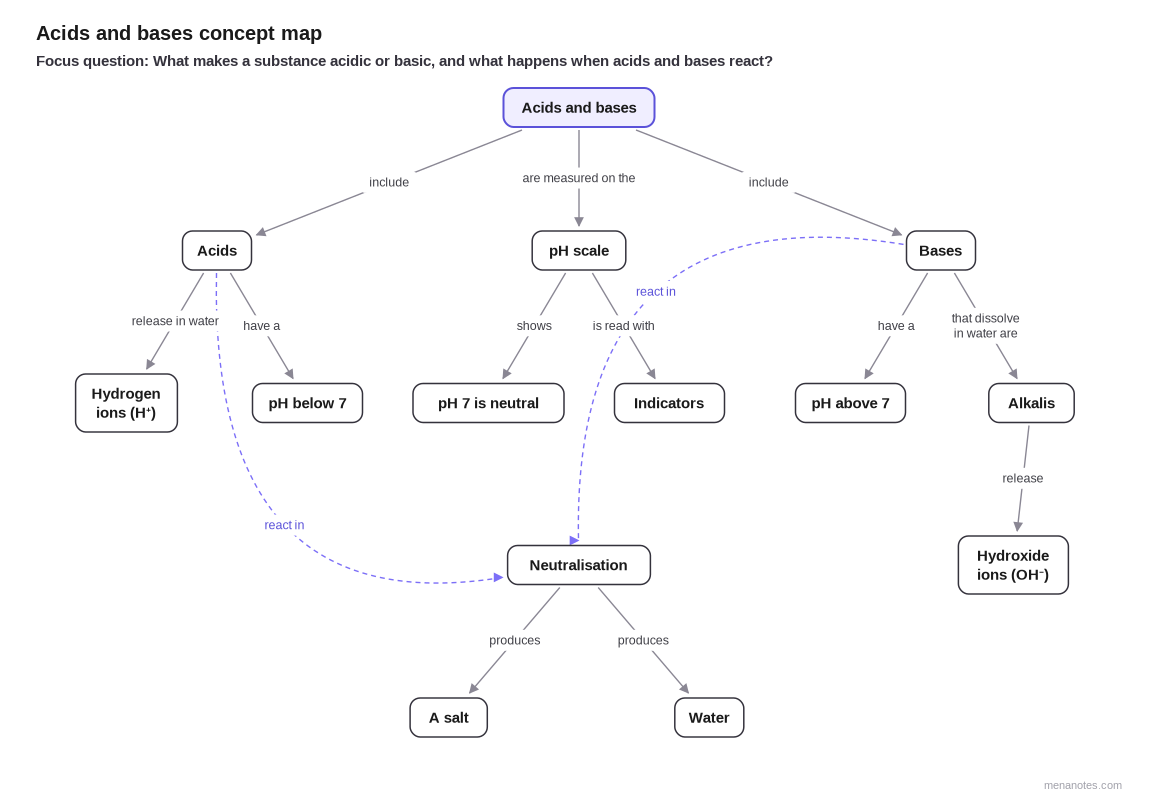
Acids and bases concept map
What makes a substance acidic or basic, and what happens when acids and bases react?
Physics
-
 Physics
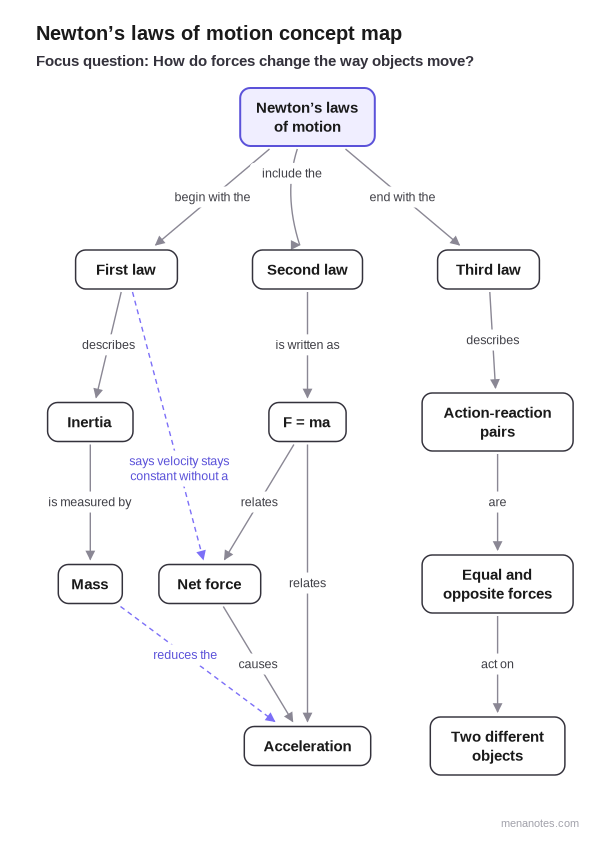
Newton’s laws of motion concept map
How do forces change the way objects move?
-
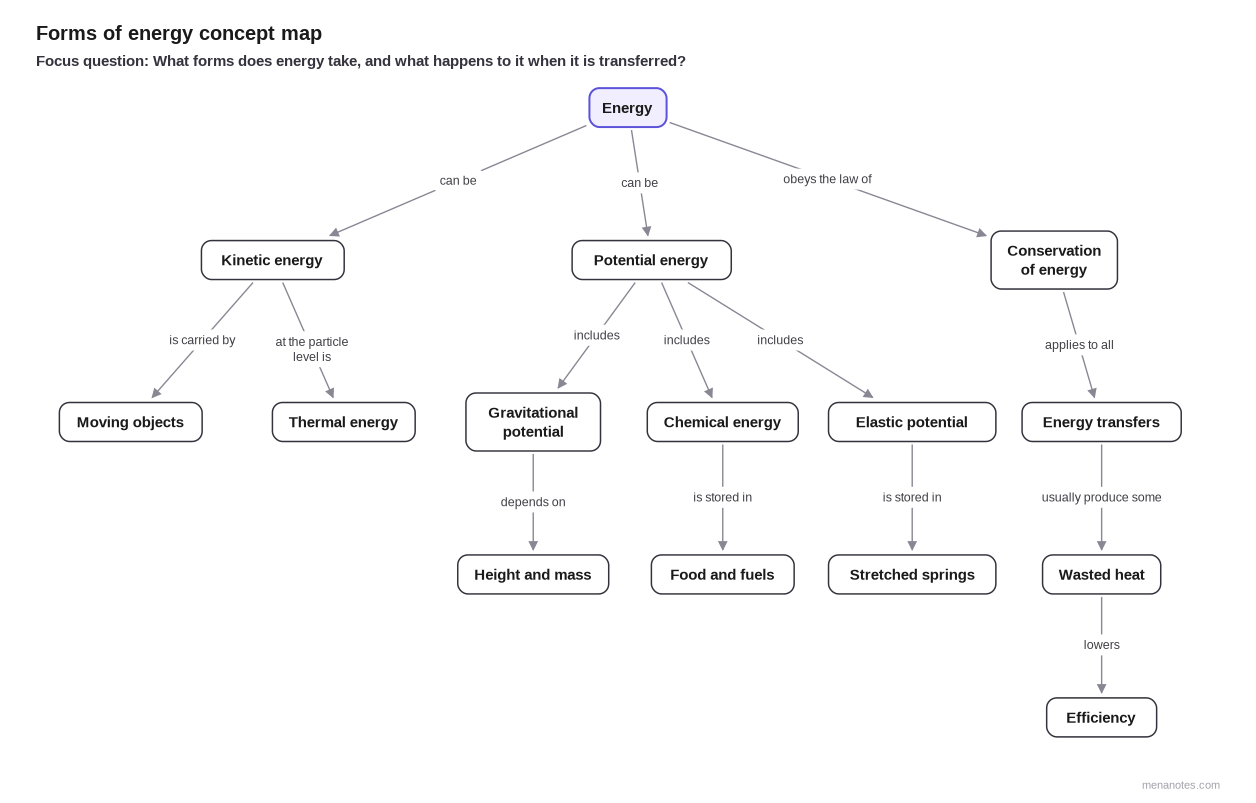 Physics
Forms of energy concept map
What forms does energy take, and what happens to it when it is transferred?
-
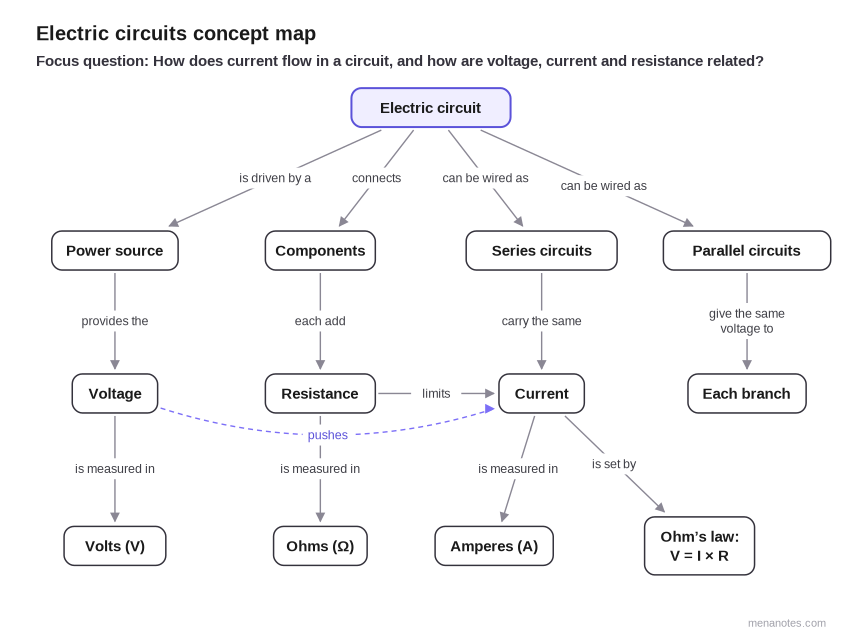 Physics
Electric circuits concept map
How does current flow in a circuit, and how are voltage, current and resistance related?
History
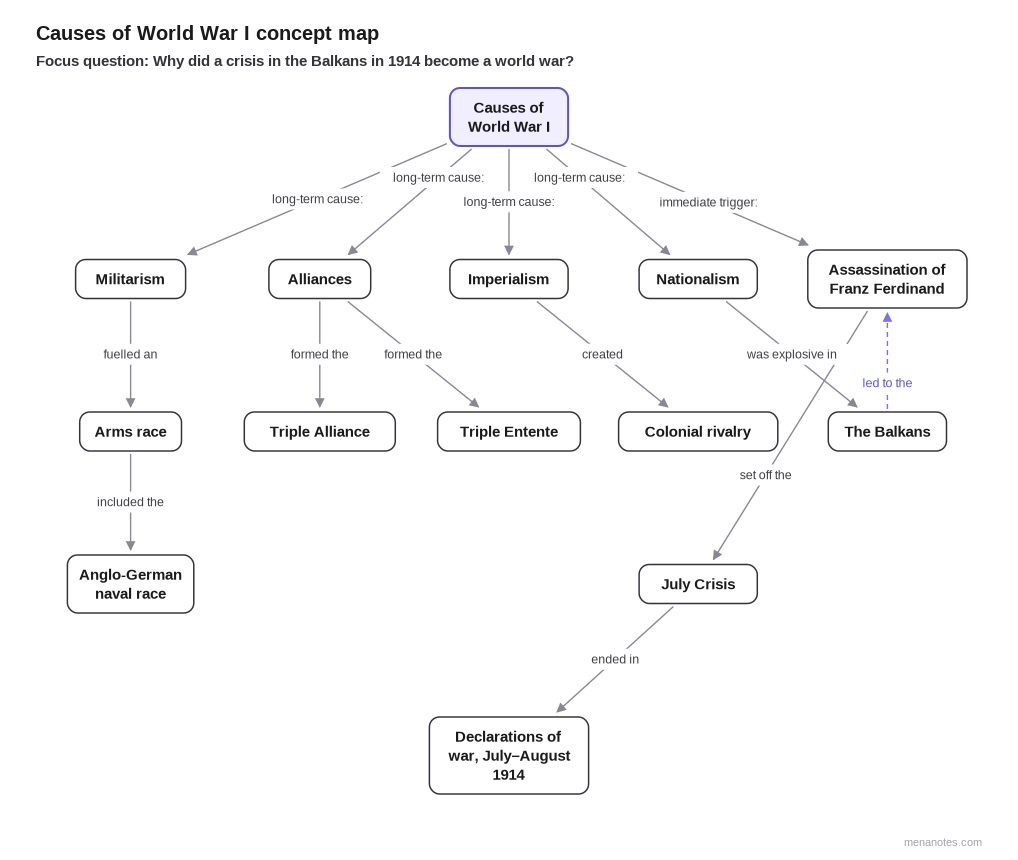
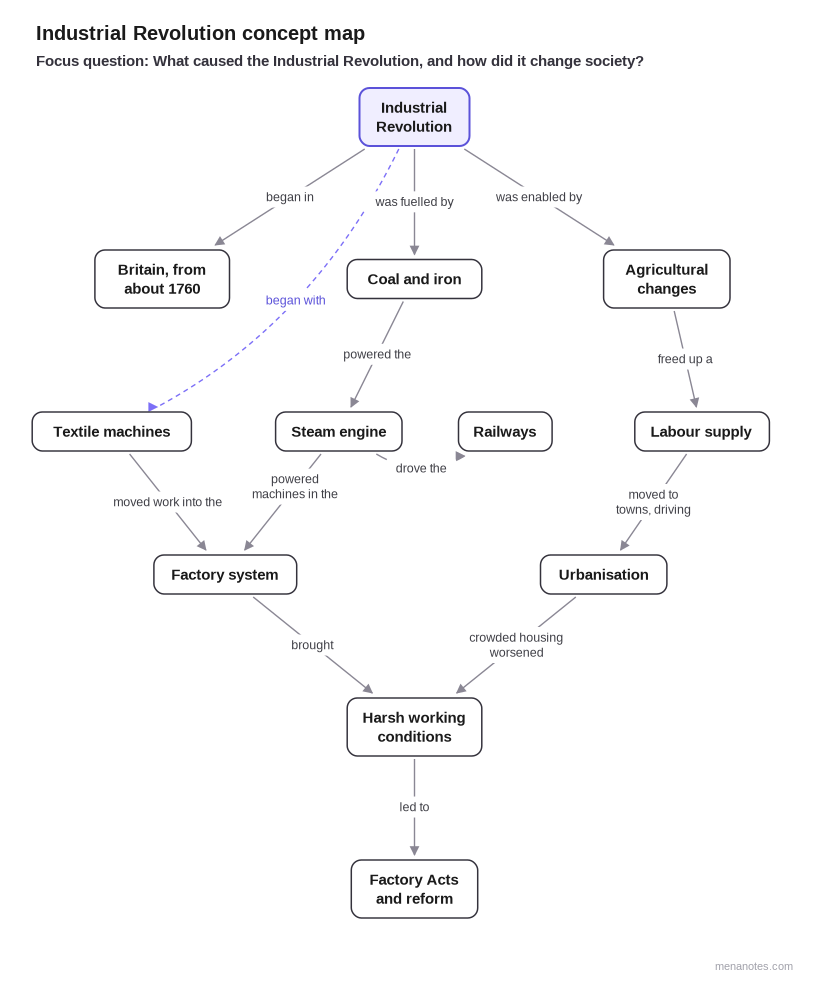
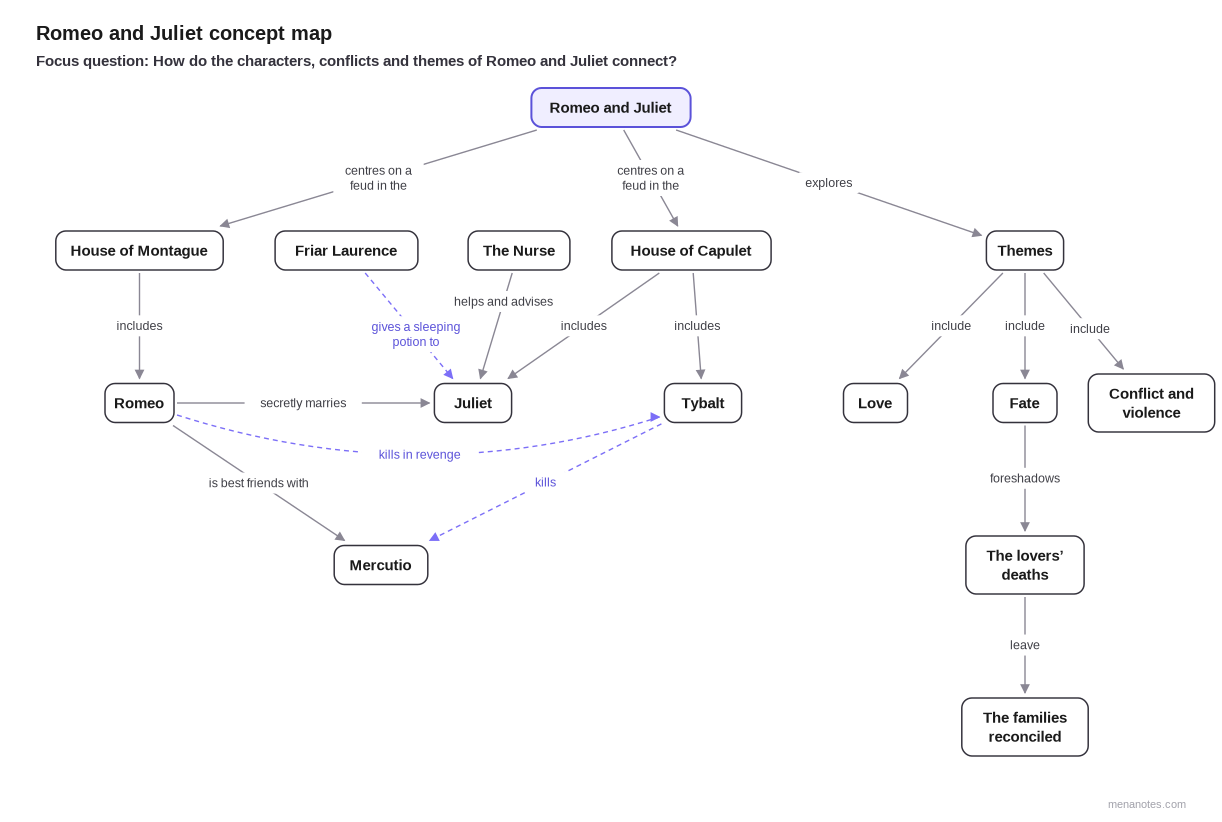
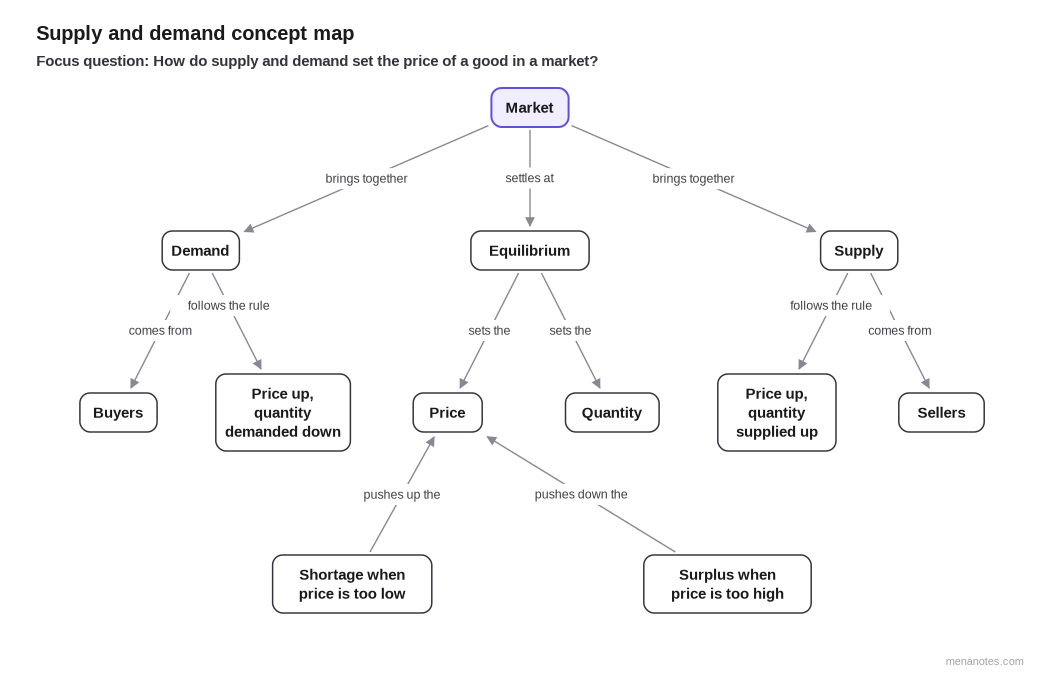
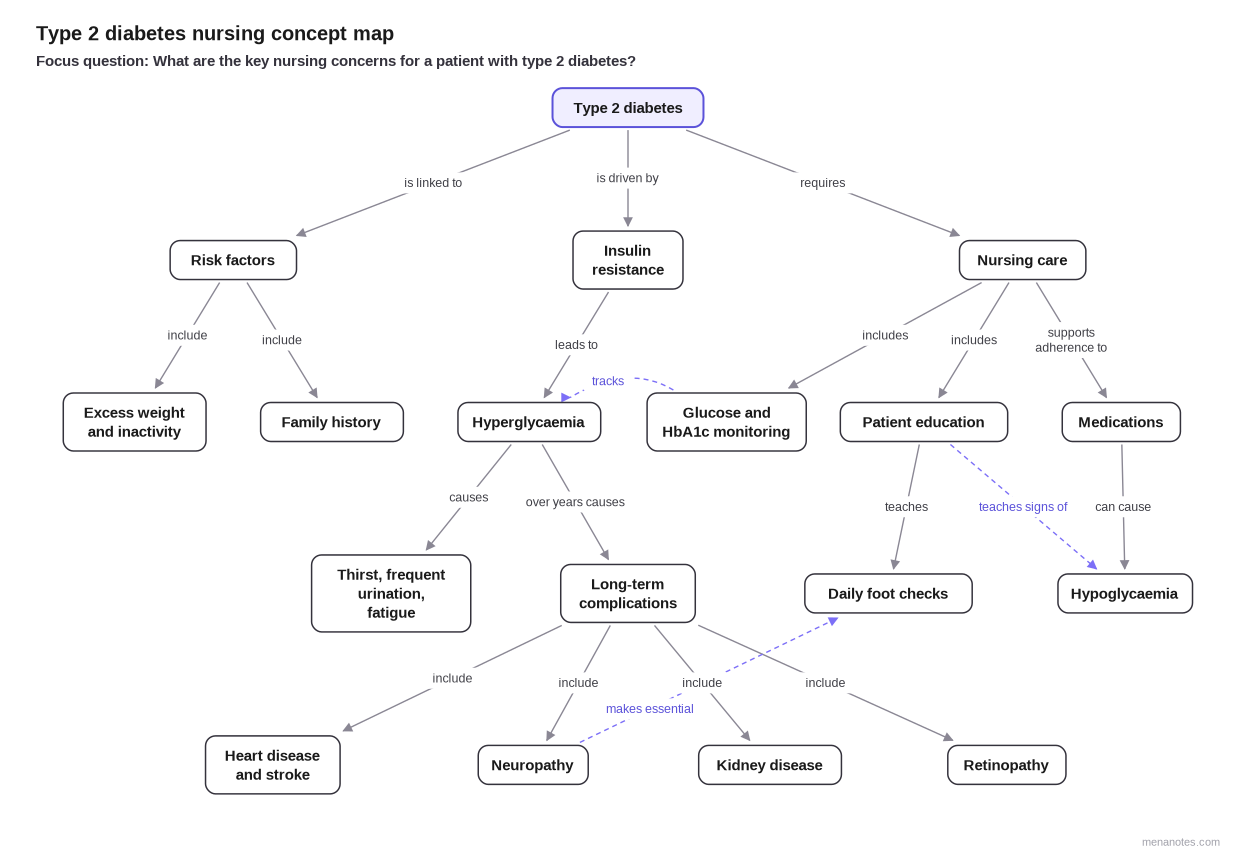
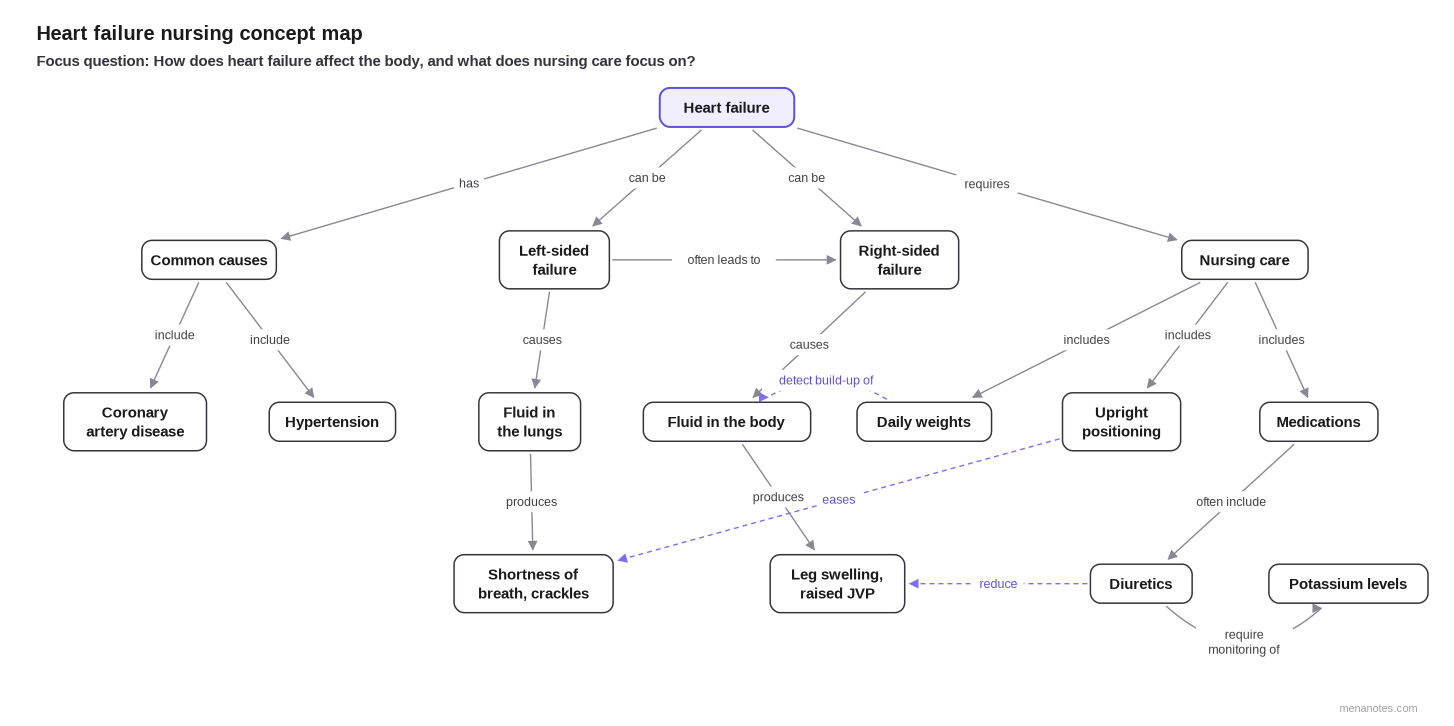
Make concept maps in Mena on iPad
Mena gives you an infinite canvas with shapes, labelled connectors that stay attached and Apple Pencil ink, free to start on iPad, iPhone and Mac.
Get Mena on the App Store- Copy this map as text.
- In a Mena board, open More tools in the toolbar, choose Diagram from Text and paste. Each concept becomes a shape and each linking phrase a connector label.
- Drag concepts around, rename linking phrases and draw your own cross-links. Connectors stay attached when you move a shape.
- Export the finished board as PNG, SVG or PDF.
Questions about concept maps
What is the difference between a concept map and a mind map?
A mind map grows out from one central idea and its lines are usually unlabelled. A concept map arranges many concepts from general to specific and labels every link with a linking phrase, so each connection reads as a sentence. Concept maps also use cross-links between branches, which mind maps rarely have.
What are linking words in a concept map?
Linking words, or linking phrases, are the short labels on the arrows, such as “is made of”, “causes” or “depends on”. Together with the two concepts they connect, they form a proposition: a statement that can be true or false.
How many concepts should a concept map have?
Joseph Novak and Alberto Cañas suggest starting with a list of about 15 to 25 key concepts for a focus question. Fewer than that rarely shows enough relationships; far more is usually better split into two maps.
Is a concept map the same as a flowchart?
No. A flowchart shows the steps of a process in order. A concept map shows how ideas relate in meaning, and it can include a process as one part of a larger set of relationships.
Can I make a concept map on an iPad?
Yes. In Mena you can draw concepts as shapes and connect them with connectors that carry text labels, or paste a map as Mermaid text with Diagram from Text. Mena is free to start on iPad, iPhone and Mac, and boards export as PNG, SVG or PDF.