
Mind map vs concept map
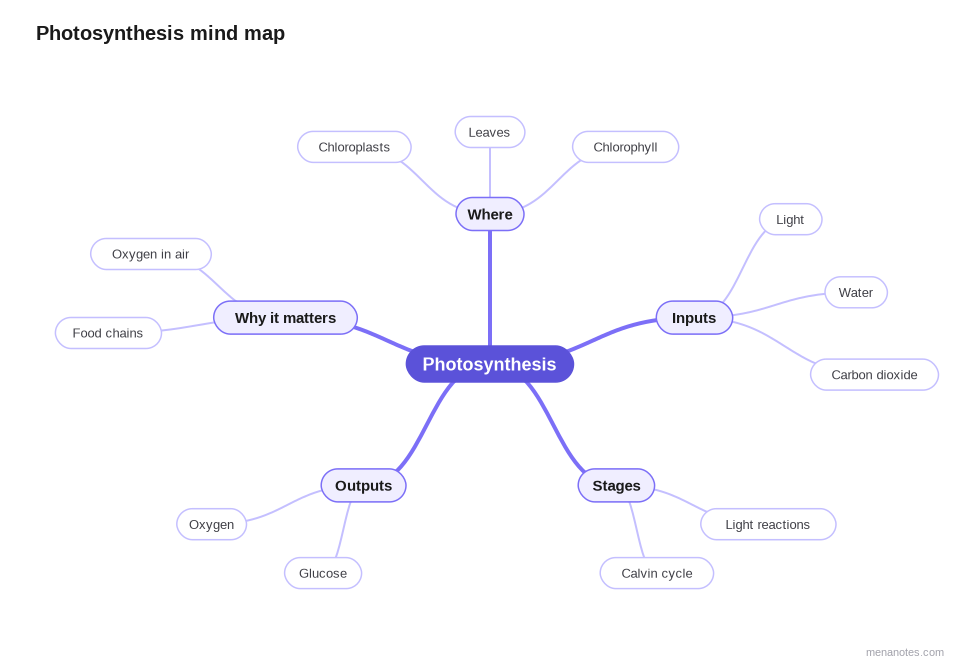
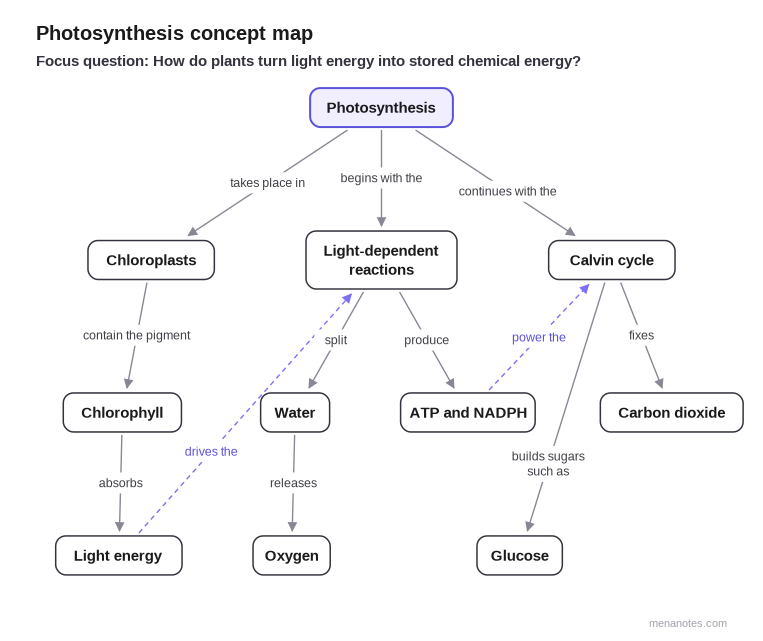
Both put ideas on a page and connect them. A mind map branches out from one idea; a concept map labels every connection. Here is photosynthesis drawn both ways.
The differences at a glance
| Feature | Mind map | Concept map |
|---|---|---|
| Shape | Radiates out from one central idea. | Runs from general to specific, often top to bottom, and can form a network. |
| Links | Lines without labels; the connection is implied. | Every arrow carries a linking phrase, so each pair reads as a sentence. |
| Cross-links | Rare. Branches stay separate. | Essential. Links between branches show deeper understanding. |
| Starts from | A central keyword or image. | A focus question. |
| Best for | Brainstorming, planning, quick notes and recall. | Explaining how ideas relate, studying science and exam revision. |
| Origin | Popularised by Tony Buzan in the 1970s. | Developed by Joseph Novak’s team at Cornell University in the 1970s. |
What is a mind map?
A mind map puts one topic in the centre and lets keywords branch out from it, with sub-branches for details. Its strength is speed: you can empty your head onto the page without deciding how every idea relates. That makes it a good tool for brainstorming, planning an essay or reviewing a chapter from memory.
How to make a mind map
- Write the topic in the middle of the page.
- Add one branch per main theme, using a single keyword each.
- Add sub-branches for details, examples and facts.
- Use colour, small sketches and short words, not sentences.
When to use a concept map instead
Switch to a concept map when the question is how or why, not just what. Writing a linking phrase on every arrow forces you to state each relationship, and a vague one shows up immediately. That is why concept maps are common in science teaching and in nursing education, where the connections are what you are tested on.
See what a concept map is and how to make one, browse the concept map examples, or start from a free template. For mind mapping on iPad, see Mena as a mind map app.
Make either kind of map in Mena
Start from Mena’s Mind Map template, or draw a concept map with labelled connectors, on one infinite canvas. Free to start on iPad, iPhone and Mac.
Get Mena on the App Store- Start a board in Mena and add a shape for each concept.
- Drag concepts around, rename linking phrases and draw your own cross-links. Connectors stay attached when you move a shape.
- Export the finished board as PNG, SVG or PDF.
Questions
Is a mind map or a concept map better for studying?
Use a mind map to collect what you know quickly, and a concept map when you need to explain how ideas connect. Many students do both: a mind map first, then a concept map from the same keywords.
Can a mind map have labelled lines?
It can, and once most of its lines are labelled and branches start linking to each other, it is effectively a concept map.
What app can I use to make mind maps and concept maps on iPad?
Mena has a ready-made Mind Map template and connectors that carry text labels, so the same board can hold either kind of map. It is free to start on iPad, iPhone and Mac.